Use Text Layers for simplified text editing
Set up the Text Layers module to give customers a form-based interface for editing predefined text fields with font, size, color, and formatting controls.
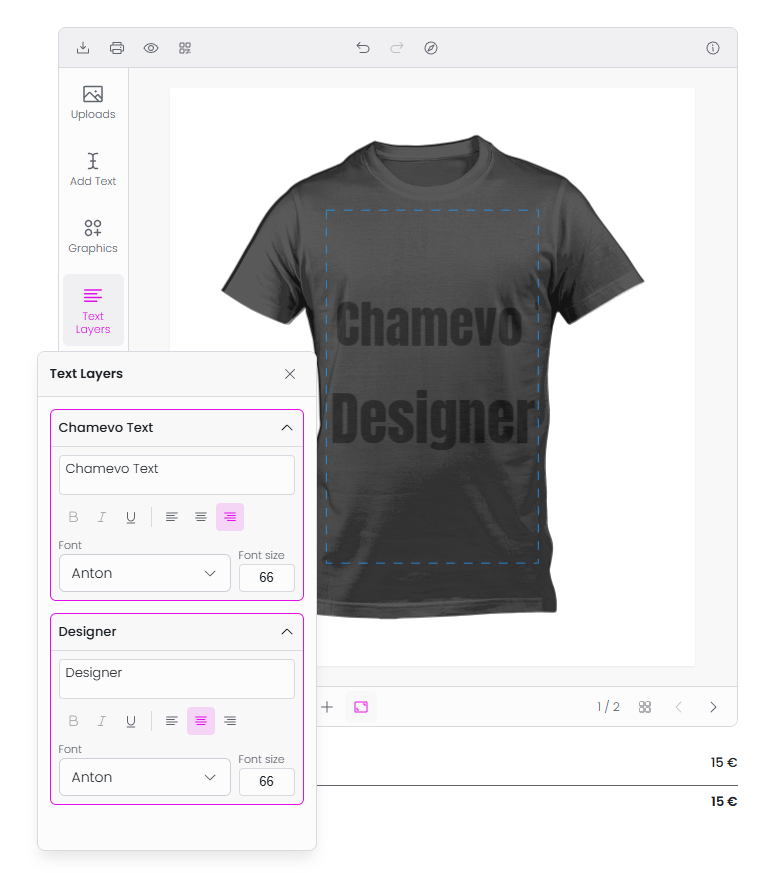
The Text Layers module provides a form-based interface for editing text elements. Instead of the free-form Text module (where customers type and place text anywhere), Text Layers shows each predefined text element as an accordion panel with dedicated controls for text content, font, size, color, and formatting.
Use this when you want customers to fill in specific text fields — like a name on a business card or a slogan on a poster — without interacting directly with the canvas.
Before you start
- The Text Layers module is not enabled by default. You need to add it to the customizer's module list.
- The module shows only editable text elements. Pre-place text elements in the Product Builder and mark them as editable.
- You need access to the Product Builder in your WordPress admin.
Step 1: Create editable text elements
- Open the product in the Product Builder (Chamevo → Products → Edit in Product Builder on a view).
- Add text elements at the desired positions on the canvas (e.g., "Your Name Here", "Tagline").
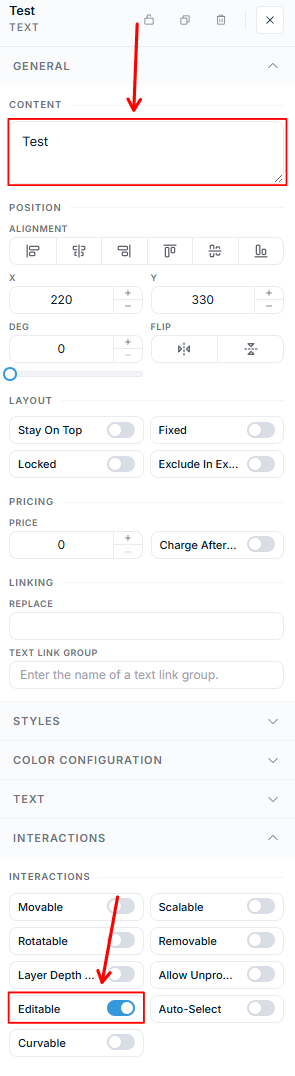
- For each text element, open its Interactions section and turn on the Editable toggle.
- Give each element a meaningful title — this title becomes the label in the Text Layers panel.
- Save the product.
Step 2: Enable the module
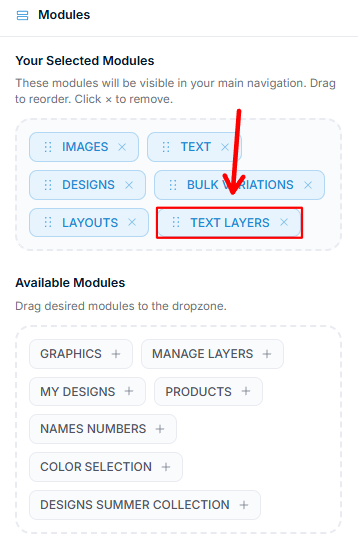
Text Layers is enabled per customizer interface in the UI Composer. Open the Modules tab, find Text Layers under Available Modules, and drag it into Your Selected Modules. Drag modules to reorder them, or click the × on a module to remove it.
If you are using Text Layers as a replacement for the standard Text module, consider removing the Text module from Your Selected Modules so customers only see the form-based interface.
How customers use Text Layers
Each editable text element on the current view appears as a collapsible panel: