
Set up webhook notifications for automation
Configure a webhook URL to receive print-ready file notifications and integrate Chamevo with external services like Zapier, Make, or custom workflows.
Updated April 28, 20265 min read
Chamevo can send a webhook notification whenever a print-ready file is generated for an order. The webhook delivers a JSON payload with the file URL and order metadata to any endpoint you specify. Use this to connect Chamevo with automation platforms (Zapier, Make, n8n), custom APIs, or cloud storage services beyond the built-in Dropbox and AWS S3 options.
Before you start
- Your Chamevo plan must be Growth or higher. The webhook URL field is not available on the Starter plan.
- You need an endpoint URL to receive the webhook. This can be a Zapier webhook trigger, a Make scenario URL, a custom API endpoint, or any service that accepts HTTP POST requests.
Step 1: Enter the webhook URL
- Go to Chamevo → Settings in your WordPress admin.
- Open the Export tab.
- Find the Webhook URL field in the General section.
- Enter your webhook endpoint URL.
- Save settings.
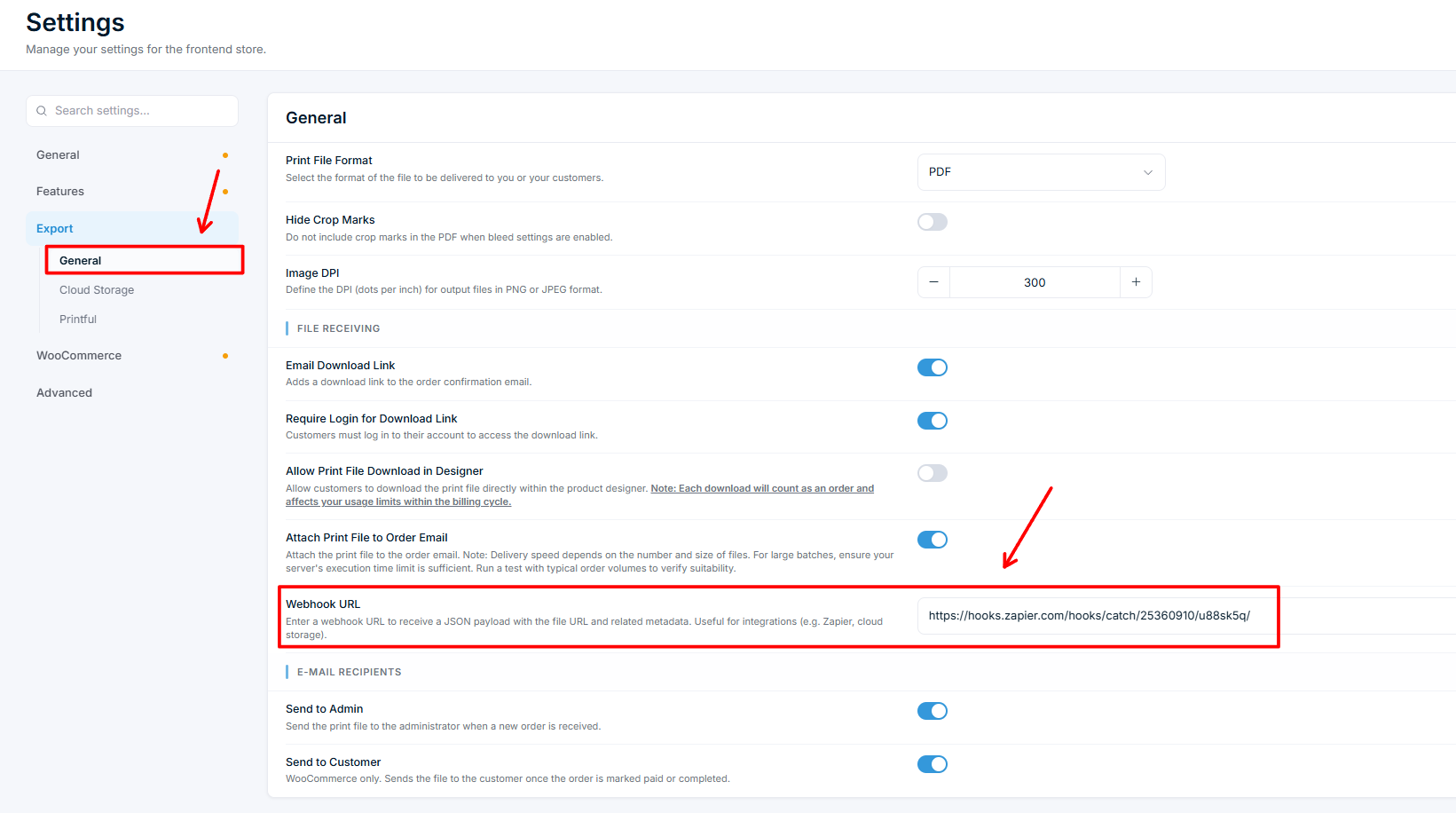
The webhook fires for every order that generates a print-ready file — both WooCommerce orders and Gravity Forms entries.
Webhook payload
When a print-ready file is generated, Chamevo sends an HTTP POST request to your webhook URL with a JSON body:
{
  "url": "https://your-site.com/wp-content/chamevo_print_files/1714567890abcdef/order_42_18.pdf",
  "order_id": 42,
  "item_id": 18
}
| Field | Type | Description |
|---|---|---|
url | string | Direct URL to the generated print-ready file |
order_id |
Related articles
Add Chamevo customizer modules to the Multistep Product ConfiguratorInsert Chamevo customizer modules as steps in the configurator and add option images straight to the customizer canvas.Set up Printful for print-on-demandConnect your Printful account to Chamevo so customized product orders are automatically sent to Printful for production and fulfillment.Connect Chamevo with Gravity FormsUse Gravity Forms instead of WooCommerce to collect customized product orders, with email notifications and print-ready file delivery.Set up the Multistep Product ConfiguratorTurn WooCommerce product variations into a guided, step-by-step selector with image swatches — no Chamevo customizer required.