Configure element permissions and controls
Control which actions customers can perform on each element — moving, scaling, rotating, removing, and editing.
Updated April 28, 20265 min read
Element permissions let you control exactly what customers can do with each element on the canvas. You can lock a background image so it cannot be moved, make a text field editable but not removable, or restrict scaling to keep a layout intact.
Before you start
- You have created a product with at least one view and some elements.
- You have access to the Product Builder (Chamevo > Products in your WordPress admin).
Permission settings
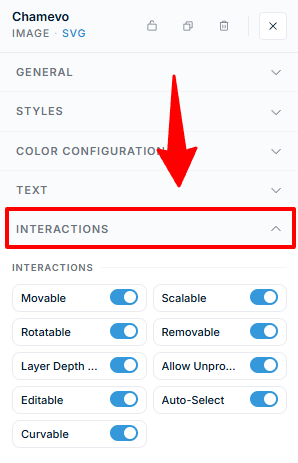
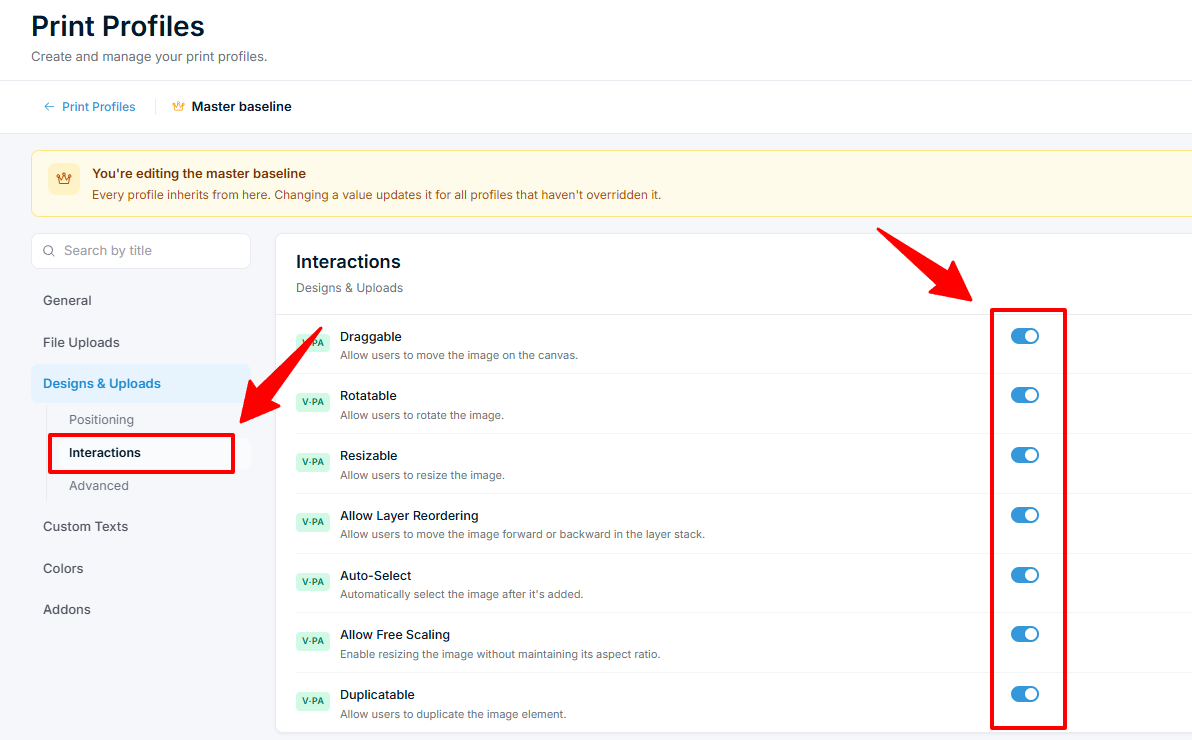
Select an element on the canvas to open its properties panel. The Interactions section controls what the customer can do with it:
| Setting | What it controls |
|---|---|
| Movable | Customer can drag the element on the canvas. |
| Scalable | Customer can resize the element. |
| Rotatable | Customer can rotate the element. |
| Removable | Customer can delete the element. |
| Layer Depth Changeable | Customer can change the stacking order (bring forward, send back). |
| Allow Unproportional Scaling | Customer can stretch the element without keeping its aspect ratio. |
Two related controls live in the General section, not Interactions:
Related articles
Connect a catalog product to a product templateLink a catalog product to a reusable product template so the template's design elements load inside the catalog product's customizer.Create your first customizable productCreate a Chamevo product, add views, configure elements in the Product Builder, and preview the product customizer.Set up product views (front, back, sides)Add, configure, and order product views to represent each customizable surface of your product.Use the Product Builder to design customization areasLearn the Product Builder interface — canvas, modules panel, Element Options, print areas, and keyboard shortcuts for building customizable products.