Send print-ready files to a webhook
Configure a webhook URL to receive a JSON payload with print file URLs and order metadata for automation with Zapier, Make, or custom systems.
Updated April 28, 20265 min read
Chamevo can send a JSON payload to a webhook URL every time a print-ready file is generated. Use this to trigger automation in Zapier, Make (Integromat), or any system that accepts webhook requests.
Webhook delivery requires a Growth plan or higher.
Before you start
- You have a Growth plan or higher.
- You have a webhook endpoint ready (from Zapier, Make, or your own server).
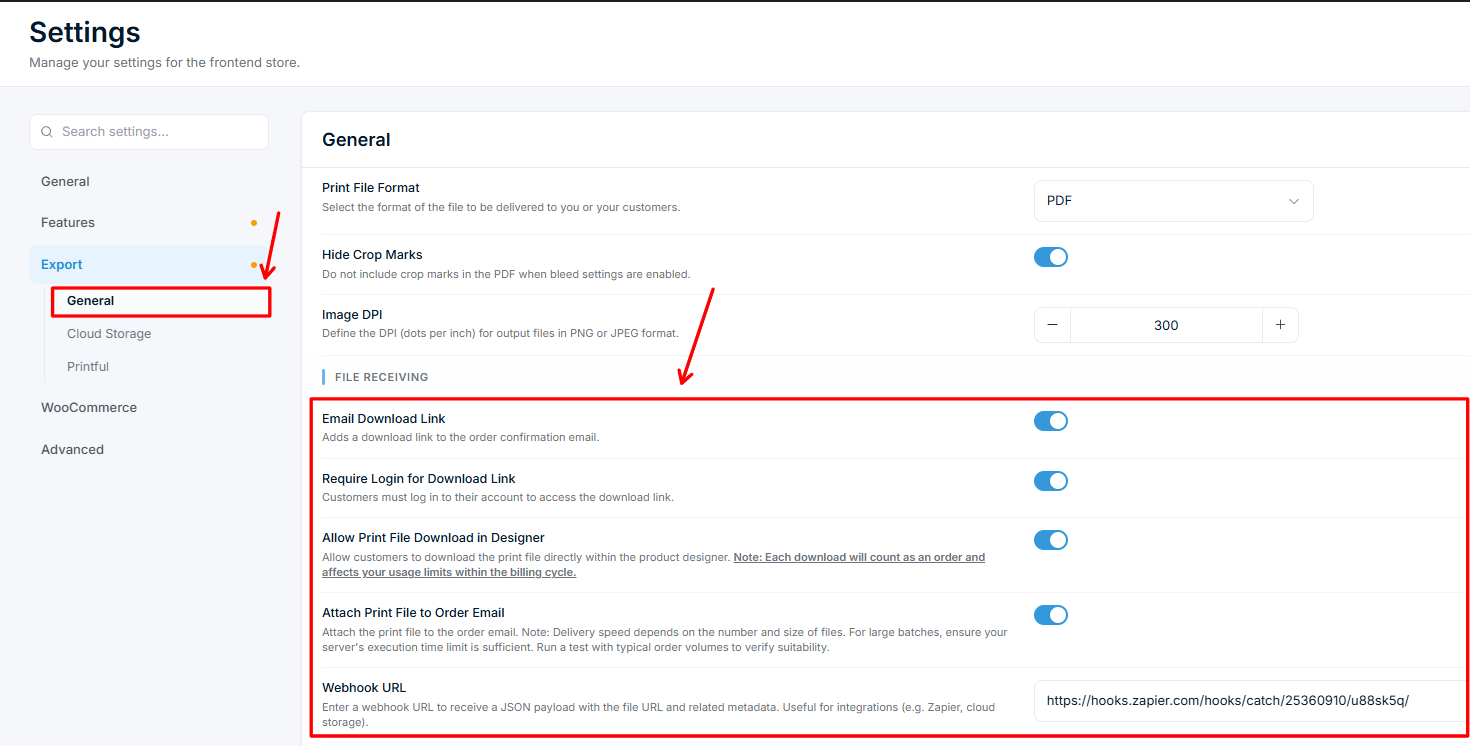
- Your export settings are configured in Chamevo > Settings > Export.
How it works
When a print-ready file is generated, Chamevo sends a POST request to your webhook URL with a JSON payload:
{
  "url": "https://storage.chamevo.com/path/to/print-file.pdf",
  "print_job_id": "abc123",
  "order_id": "123",
  "item_id": "1"
}
| Field | Description |
|---|---|
url | Direct URL to the generated print-ready file (hosted on Chamevo's cloud storage) |
print_job_id | The print job identifier |
order_id | The order number (sent as a string) |
item_id | The item number within the order (sent as a string) |
Steps
Set up the webhook in Chamevo
- Go to Chamevo > Settings > Export.
- Find the field under .
Related articles
Print-Ready Exports overviewUnderstand how Chamevo generates print-ready files from customer designs, which formats are available, and how files reach your production workflow.Set up print profiles for your production workflowCreate print profiles to control file uploads, element behavior, color options, and module availability across products, views, and print areas.Configure bleed zones and output dimensionsSet up print areas with exact dimensions in millimeters, add bleed zones for trimming, and apply SVG masks for custom shapes.Prepare your setup for print-ready file generationVerify server requirements, fonts, file upload settings, and colorization before generating your first print-ready files.