Create pricing rules for text properties
Set up pricing rules that charge customers based on character count, number of lines, or font size in their text elements.
Updated April 28, 20265 min read
Chamevo includes three text-related pricing properties that let you charge based on what the customer types. Use these to add per-character fees, charge for multi-line text, or apply surcharges for large font sizes.
Before you start
- You need access to Chamevo → Pricing Rules in your WordPress admin.
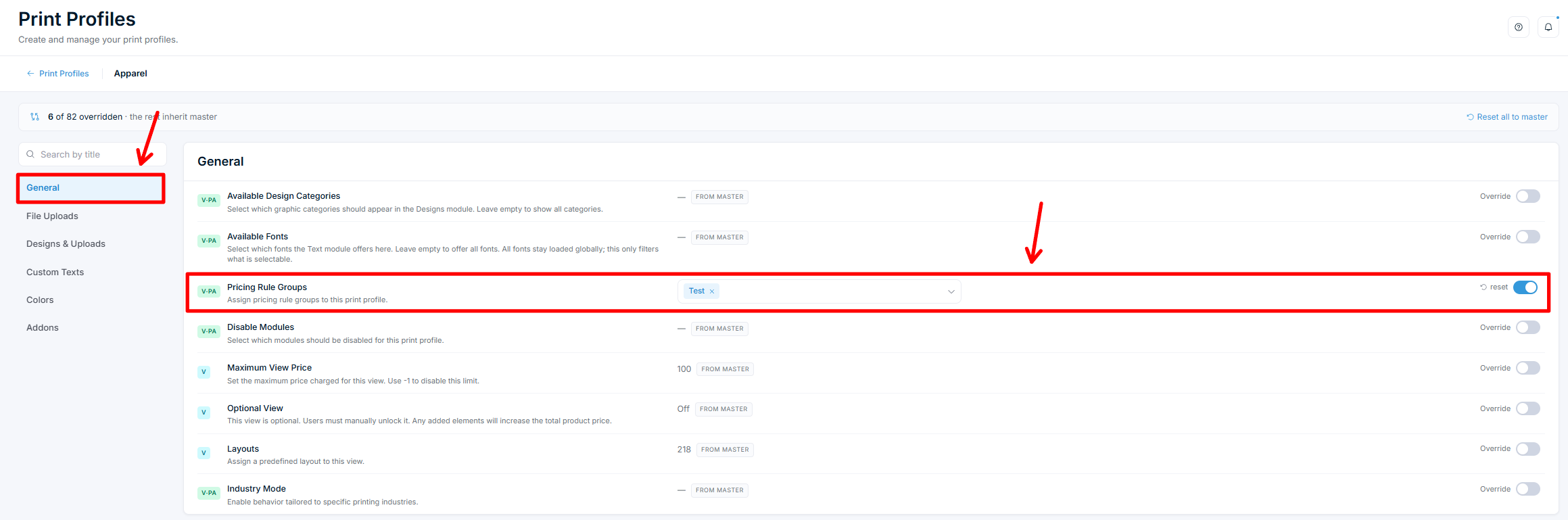
- Your product must use a Print Profile. Pricing groups are assigned through Print Profiles.
- Dynamic Pricing requires a Growth plan or above.
Text pricing properties
| Property | What it measures | How it counts |
|---|---|---|
| Text Length | Number of characters in the text | Whitespace is excluded. "Hello World" counts as 10 characters, not 11 |
| Text Lines | Number of lines in the text | Counts line breaks. A single line = 1. Text with one line break = 2 |
| Text Size | The font size, in pixels | Matches the font size the customer applies in the customizer |
All three only measure text elements. If you point a text rule at a mixed selection, image elements are ignored.
Create a Text Length pricing rule
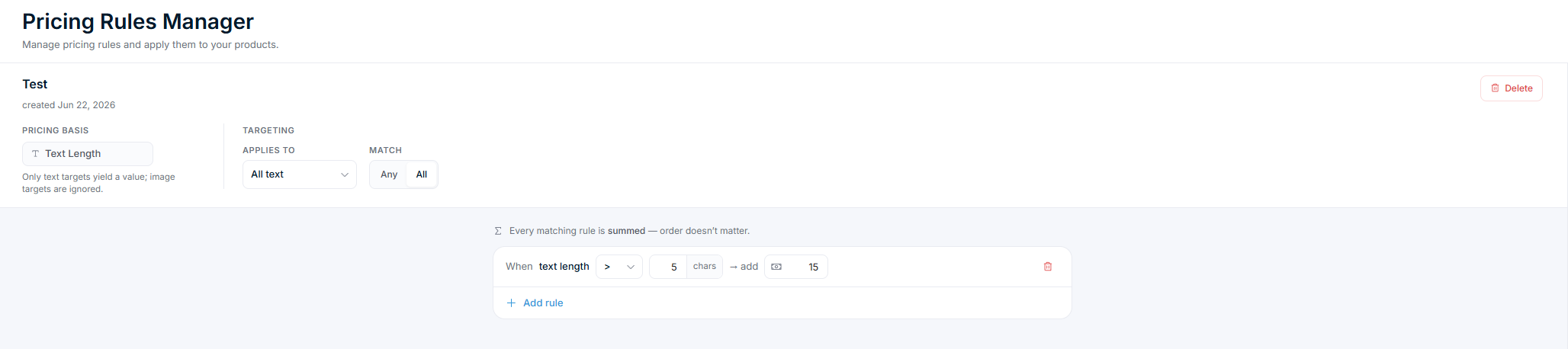
This example charges extra when customers type more than 10 characters.
- Go to Chamevo → Pricing Rules in your WordPress admin. This opens the Pricing Rules Manager.
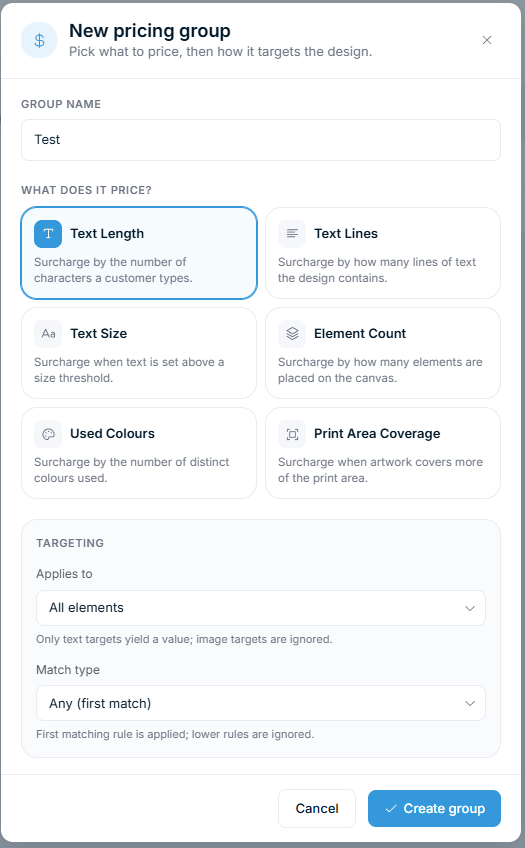
- Click New pricing group.
- In Group name, enter a title (e.g., "Text length surcharge").
- Under What does it price?, choose the Text Length card.
- In the Targeting section, set two things:
Related articles
Dynamic Pricing overviewUnderstand how Chamevo's rule-based pricing system works, what properties you can price on, and how pricing rules connect to your products.Create pricing rules for print area coverageSet up pricing rules that charge customers based on how much of the print area their design covers, and learn how to price uploaded images.Set prices for individual design elementsAssign fixed prices to text elements, image uploads, and graphics so customers are charged when they add these elements to their design.Use pricing rule groups (first match vs. accumulate)Understand the difference between Any (first match) and All (summed) evaluation modes, and when to use each for tiered or stacking pricing.