Set prices for individual design elements
Assign fixed prices to text elements, image uploads, and graphics so customers are charged when they add these elements to their design.
You can assign a fixed price to individual design elements so customers are charged automatically when they add an element to their design. This works independently of pricing rules — a graphic priced at $2.00 always adds $2.00 to the total, regardless of size, position, or other factors.
There are three places where you can set element prices:
- Custom text elements — in the Print Profile
- Custom image elements — in the Print Profile
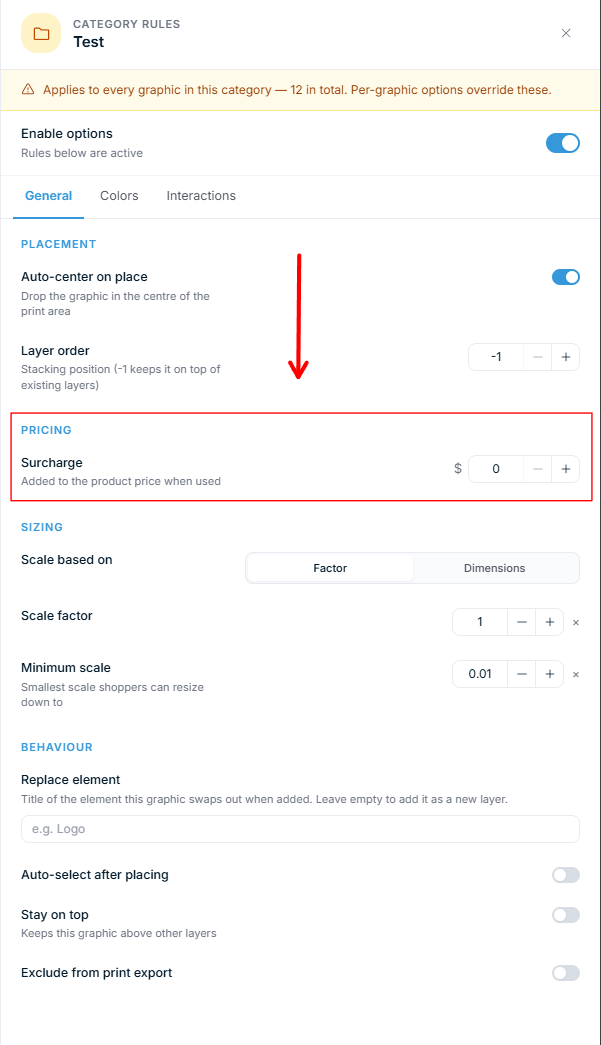
- Graphics from the library — in the Graphics manager
Before you start
- You need access to Chamevo → Print Profiles and Chamevo → Graphics in your WordPress admin.
- Your product must use a Print Profile for text and image element pricing to apply.
Set a price for customer-added text
This price applies every time a customer adds a new text element to the canvas.
- Go to Chamevo → Print Profiles in your WordPress admin.
- Open the Print Profile used by your product.
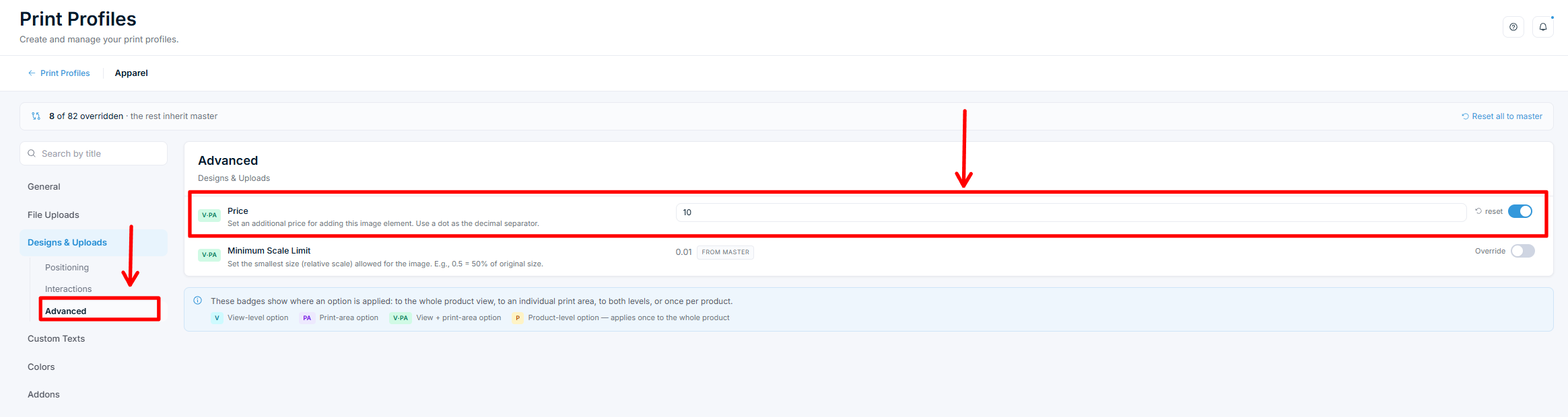
- Open the Custom Texts tab, then the Advanced subsection.
- In the Price field, enter the amount to charge (e.g., 1.50). Use a dot as the decimal separator.
- If the field shows From master, switch on Override so the price applies to this profile.
- Save the Print Profile.
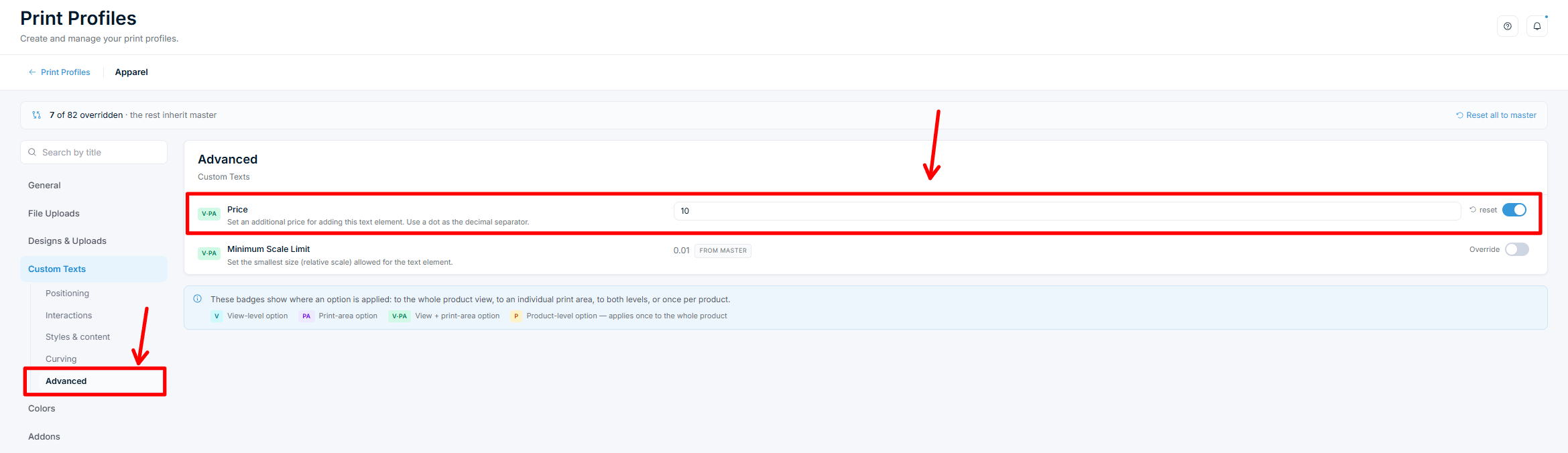
Every text element the customer adds to the canvas will now include this price. Pre-placed text elements (elements you added in the Product Builder) are not affected by this setting.
Set a price for customer-uploaded images
This price applies every time a customer uploads or adds an image to the canvas.
- Go to Chamevo → Print Profiles in your WordPress admin.
- Open the Print Profile used by your product.
- Open the Designs & Uploads tab, then the Advanced subsection.
- In the Price field, enter the amount to charge (e.g., 2.00). Use a dot as the decimal separator.
- If the field shows From master, switch on Override so the price applies to this profile.
- Save the Print Profile.